
Free Trial – Getting Started with Roomzilla
Free Trial - Getting Started with Roomzilla
Welcome to Roomzilla!
This guide will walk you through the simple steps of setting up your free trial account and getting started with our platform.
Starting Your Free Trial
The process begins with our onboarding form at:
As the account administrator, you will be asked to fill out a short form where you’ll provide two key pieces of information:
- Your Desired Subdomain: This will become part of your account’s URL (e.g., yourcompanyname.roomzilla.me) and will also be included as the sender in email communications.
- Your Primary Admin Email Address: This is the email you will use to manage your account.
After submitting the form, you will receive a confirmation email. Simply click the link inside to activate your account.
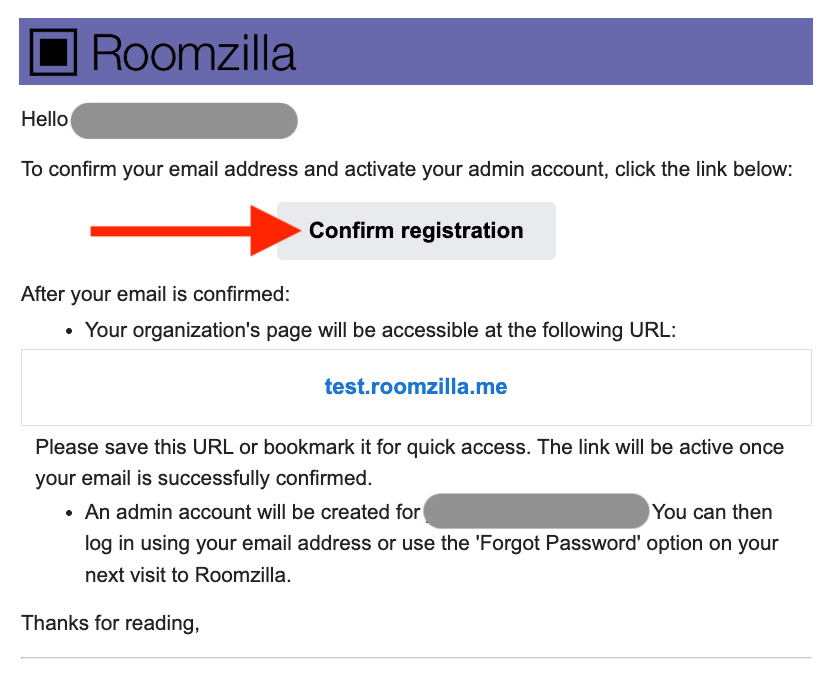
You will be automatically logged in to your admin account, as the onboarding process doesn’t require a password. After logging out, you have two options for re-accessing your account:
- Single Sign-On (SSO): You can log in directly using your Google or Microsoft account.
- Create a Roomzilla Password: You can set a dedicated password by using the Forgot Password link on the login page: [yourcompanyname.roomzilla.me/forgot-password]
Exploring Roomzilla’s Capabilities
By default, your account is created on our Business Plan with a 14-day free trial. This gives you full access to all of our features with no commitment required. We encourage you to use this time to explore the platform and see if it’s the right fit for your needs.
During your trial, the primary admin will receive a series of emails highlighting key features and providing instructions on how to activate them. For a comprehensive guide to all functionalities, you can also explore the articles in our [knowledge base for admins].
If you have any questions along the way, please don’t hesitate to reach out to us at team@roomzilla.net.
Continuing with Roomzilla
To keep your Roomzilla account active after the trial, you must add a credit card.
It’s important to do this before your 14-day trial expires. If a credit card is not added, your account will be automatically removed. This is a permanent action, and you will lose all settings and data you entered during the trial period.
You can add your credit card information at any time by navigating to:
Admin Panel > Roomzilla Subscription > Plan & Payment Method
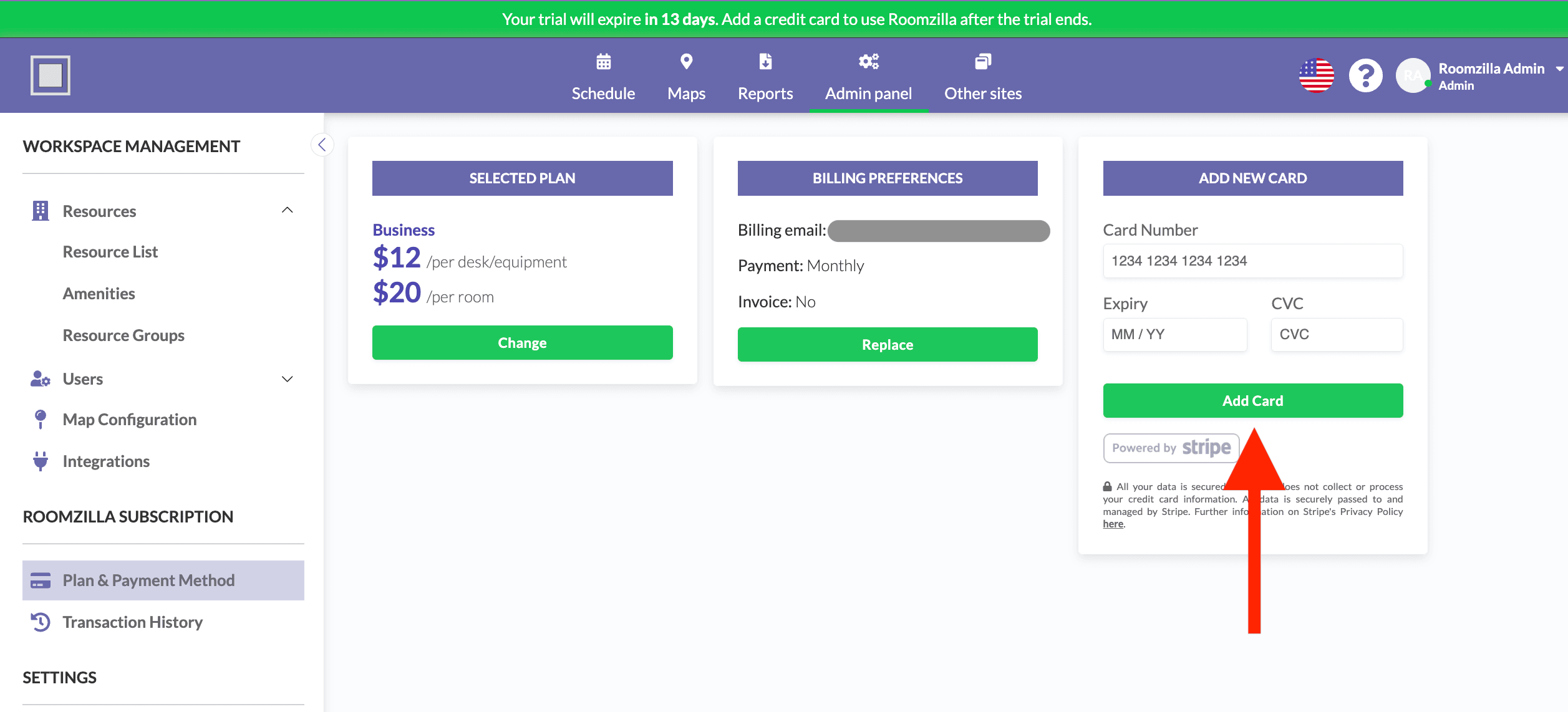
If you prefer to pay with an alternative method, such as an ACH transfer or direct invoice payment, please contact our billing team at billing@roomzilla.net to make arrangements.
For more information, please see our article on [Activating your Roomzilla Account].