
Reservation Reminders and Messages
Reservation Reminders and Messages
Roomzilla allows you to set up email reservation reminders and to configure a custom reminder message that will be displayed to users whenever they make a booking.
To review reservation limits settings, please refer to [this article].
Log in to your Admin account and head to the Admin panel [1] > Reservations [2] > Reminders & Messages section [3]. There, you will see the following options:
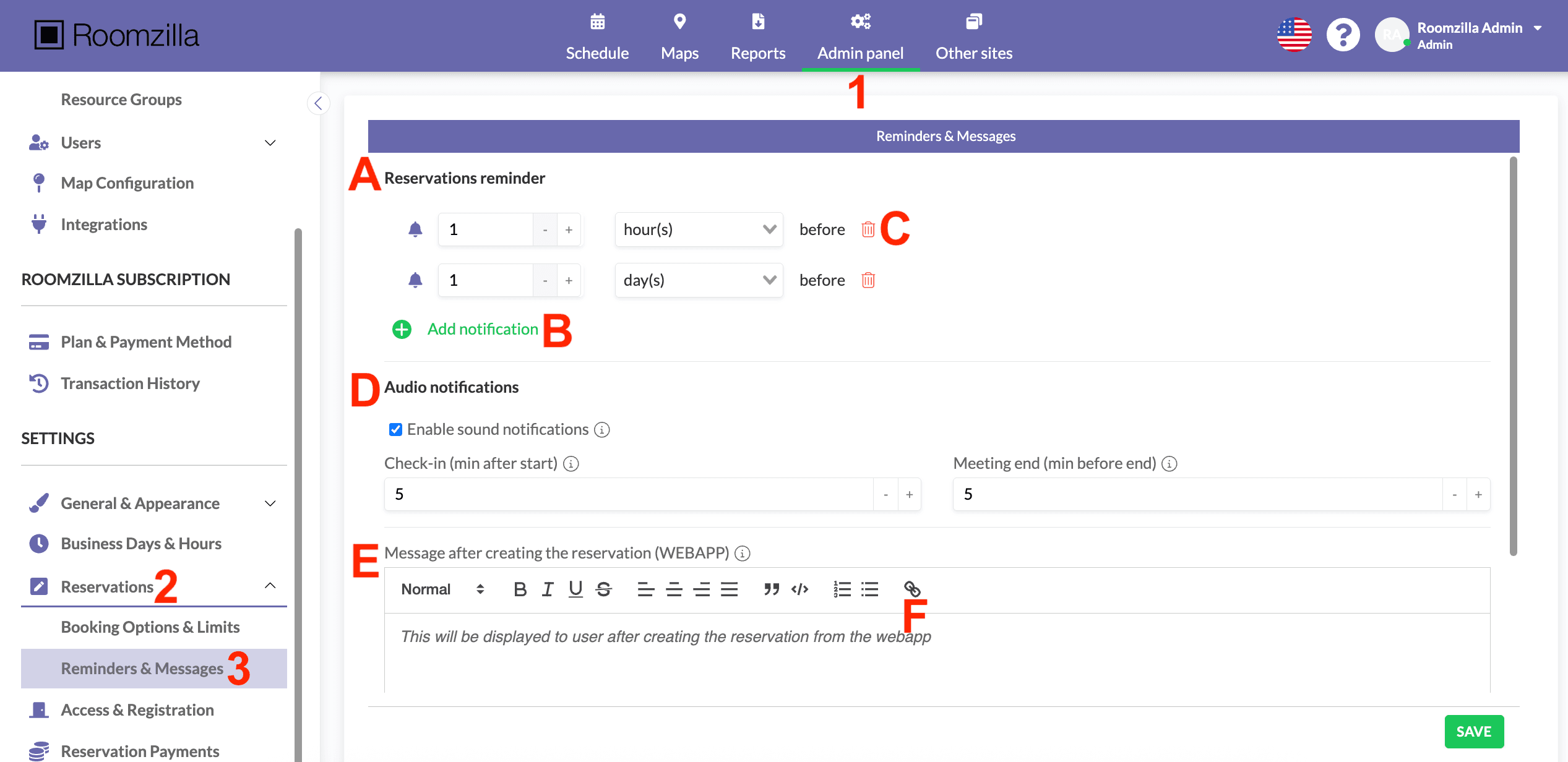
1. The system allows for multiple reservation reminders [A], which will send users email messages at specific times. You can add new notifications [B] or remove existing ones [C] as needed.
2. Tablet audio notifications [D]; you can find detailed instructions for this feature [in this article].
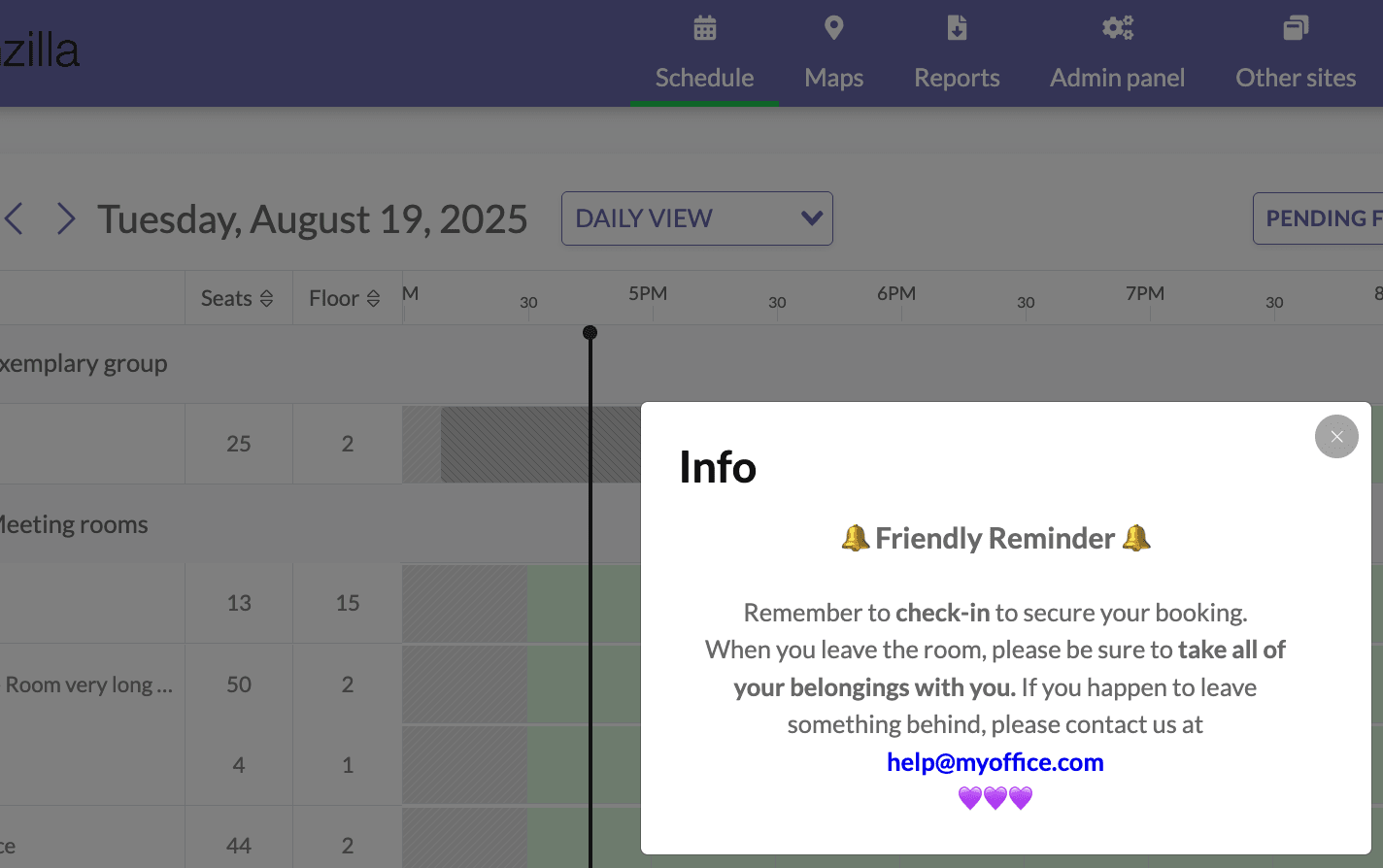
3. Leave an additional message for Users displayed after they create a reservation [E]. You can also insert links to emails, websites, or support pages. Simply highlight the text you would like to link, then click on the Link Icon [F] and hit save. This text will be shown to the User in a confirmation dialogue every time a reservation is created.
4. Remember to click the green “SAVE” button to save your changes to settings when you are done.