Organization Language
Organization display language
Learn here how to change the language in which your Roomzilla page will be displayed to users.
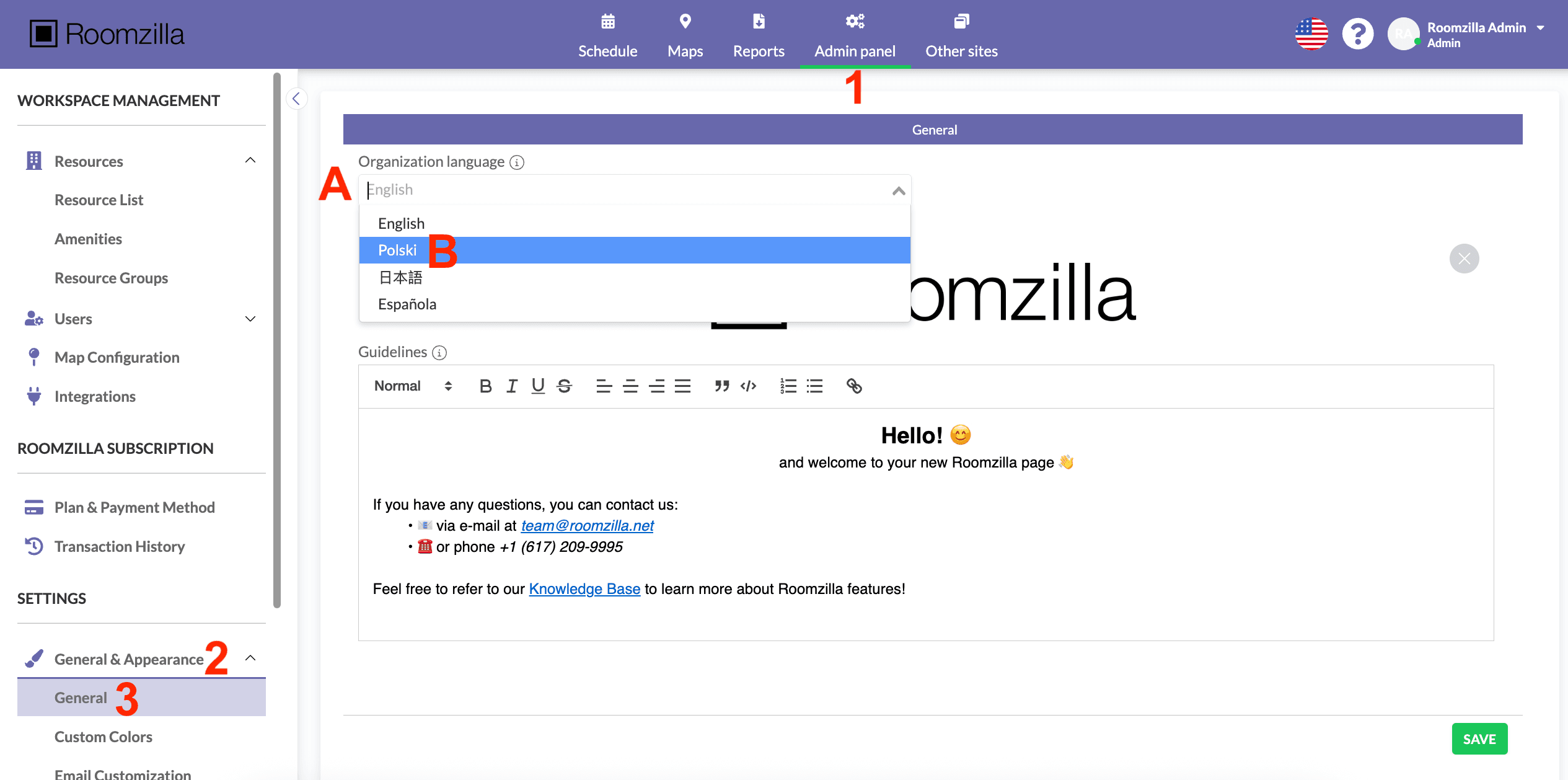
1. Log in to your admin account and go to: Admin panel [1] > Settings: General & Appearance [2] > General [3]
2. Here, you will find the “Organization language” field [A]. Click on it to reveal the available languages.
3. Select the language [B].
4. Hit the “Save” button to confirm the change.
Done! The selected language will be applied to the login page, content displayed on [room tablets], and certain email notifications. However, if a [user changes their preferred language] in their profile settings, Roomzilla will be displayed to them in the selected language, overriding the organization’s default language.