読み取り専用モードとゲスト予約

あなたはここにいる:
< All Topics

Guest Read-Only Mode and Guest Reservations

Read-Only Mode and Guest Reservations features provide flexibility in managing how users interact with the platform. Here’s a breakdown of what these options mean and how to use them effectively.

For instructions on inviting users and managing their access, please refer to this article.


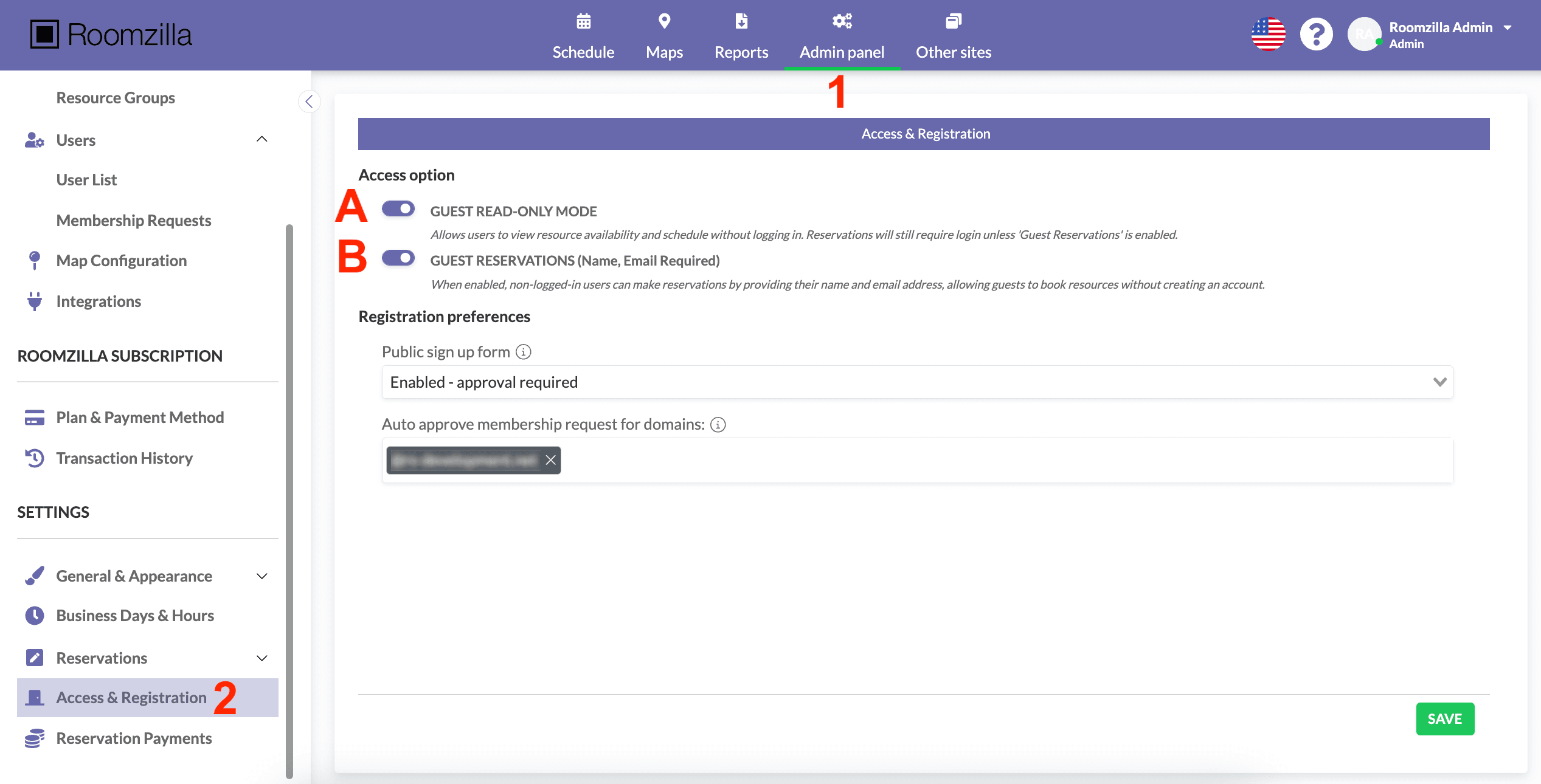
1. To access this section, log in to your Admin account and go to: Admin panel [1]. There, scroll down to the “Access & Registration” section [2].

2. In the “Access Options” section, you will find two features to manage how non-registered users can interact with Roomzilla:

[A] Enable Guest Read-Only Mode for timeline visibility without login.

[B] Enable Guest Reservations to allow bookings without account creation.

3. Remember to click the green “SAVE” button to save your changes when you are done.

Note: To grant users immediate access, all you need to do as an admin is send them your page link (URL). This will allow them to access the system directly without any further setup required.

Note: Depending on the “Registration Preferences” settings (below), guests may be allowed to create user accounts by signing up. For detailed instructions, refer to our guide on registration preferences.


The Guest Read-Only Mode feature is useful in a variety of scenarios by providing seamless visibility into your resources without requiring user credentials.

  • Quick Access for Visitors: Allows temporary guests or external collaborators to view resource availability without needing to log in.
  • Simplified Information Sharing: Reduces the need for administrative intervention by empowering users to effortlessly check schedules on their own.
  • Optimized for Public Spaces: Ideal for public facilities or shared spaces where visitors need to browse schedules without making reservations.


The Guest Reservations feature offers several key benefits by streamlining the booking process and providing flexible access control.

  • Streamlined Booking: Simplifies reservations for non-registered users by letting them book resources directly, removing the need for an account.
  • Improved Accountability: Admins maintain traceability by collecting essential guest information, such as name and email, for every booking.
  • Efficient Event Management: Ideal for workshops or events with frequent external attendees, as it bypasses the need to create individual accounts for every visitor.