
Reservation Duration Defaults
Reservation Duration Defaults
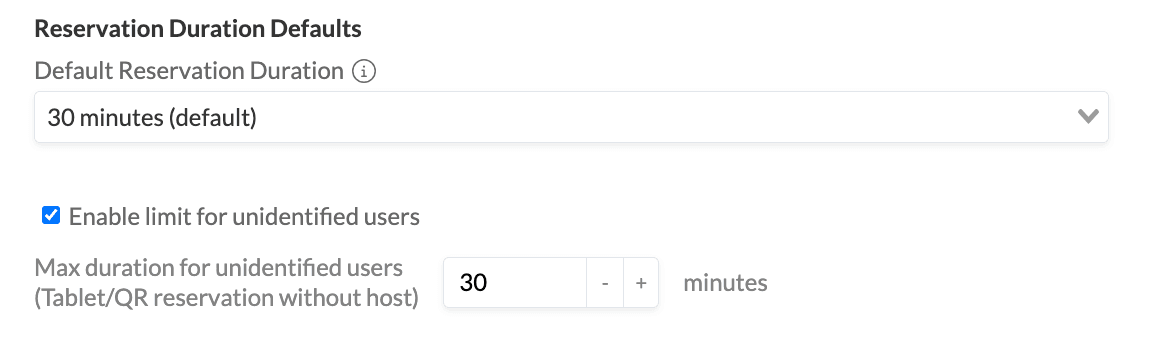
These settings control the default length of new reservations and set a time limit for bookings made directly from room display tablets or QR codes (without a logged-in user)
You can find these settings in Admin Panel → Settings → Reservations → Booking Limits.
Default Reservation Duration
This setting defines the duration that is pre-filled when a user creates a new reservation. Users can still change it manually — this is just the starting value shown in the booking form.
To change it:
- Go to Admin Panel → Settings → Reservations → Booking Options
- Under Reservation Duration Defaults, select the desired duration
- Save
The default value is 30 minutes.
Max Duration for Unidentified Users
This setting applies to Quick Reservations (bookings made directly from a room display tablet or by scanning a QR code, without a logged-in host)
Because these reservations are anonymous (no user account is associated), you may want to cap how long someone can hold a room this way. Enabling this limit prevents a single walk-up booking from blocking a room for an extended period.
To enable and configure it:
- Go to Admin Panel → Settings → Reservations → Booking Limits
- Check Enable limit for unidentified users
- Enter the maximum duration in minutes in the Max duration for unidentified users field
- Save
If the checkbox is unchecked, there is no time limit on Quick Reservations.
Good to Know
- For broader booking limits per user role or team, see https://www.roomzilla.net/roomzilla-knowledge-base/custom-booking-limits/